The Editable 2024-2025 Teacher Planner KDP: A Practical Tool for Streamlined Classroom Organization
Every educator knows that a well-organized classroom starts long before the first bell rings. The difference between a chaotic school year and a smoothly running one often comes down to the systems you put in place for planning, tracking, and communicating. The Editable 2024-2025 Teacher Planner KDP — available as a high-quality print-ready PDF, JPG, and PNG file set with an editable Canva link — is designed to support that system from day one. Whether you are a classroom teacher, a homeschooling parent, a tutor, or a school administrator, this planner integrates into your existing workflow rather than forcing you to adapt to a rigid structure.
What the Editable 2024-2025 Teacher Planner KDP Offers
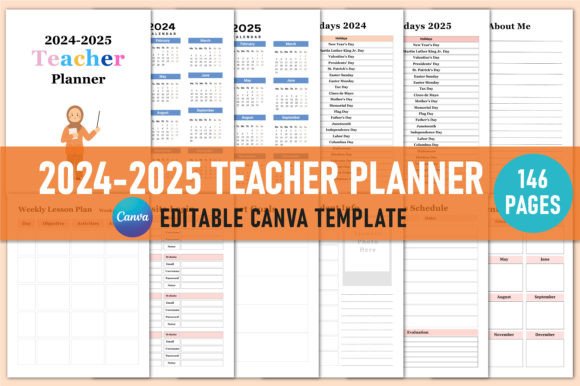
This isn’t just a calendar with some blank pages. The planner includes a comprehensive collection of templates that address the full cycle of teaching: student information management, lesson planning, semester overviews, attendance tracking, communication logs, behavior notes, and much more. With over 50 distinct page types — from All About Me and Student Info to Weekly Lesson Plans, Seating Charts, and Parent-Teacher Conference Notes — it serves as a single source of truth for the school year.
The editable format means you can customize every page before printing, or use it digitally if that suits your workflow. Because it comes with a Canva link, you have full control over fonts, colors, layouts, and branding. This flexibility is especially valuable for teachers who want to align their planner with school-wide templates or personal preferences.
Before the School Year: Setup and Preparation
Preparation is where this planner truly shines. At the start of the academic year — or even during the summer — you can open the Canva template and begin populating the foundational pages. The 2024 Calendar and 2024 Holidays pages give you a high-level view of the year, while the Important Dates and Semester Overview sections let you map out key events, exams, and deadlines from the outset.
During this phase, you can also fill in the Student Info, Class List, and Medical Information pages. Having this data centralized before students arrive saves you from scrambling for contact details or allergy information later. The Transportation Information Log and Online Information pages are particularly useful for schools with complex dismissal procedures or multiple digital platforms.
I recommend setting aside two to three hours during your pre-planning week to complete these pages. Because the planner is fully editable, you can duplicate pages or add sections that are specific to your grade level or subject area. The Belongs To page also makes it easy to keep multiple planners organized if you teach across different groups or subjects.
During the School Year: Daily and Weekly Execution
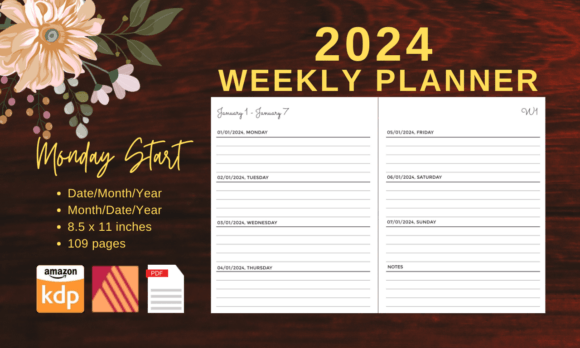
Once the school year begins, the planner becomes your operational hub. The Daily Planner, Weekly Planner, and Monthly Planner (January through December) allow you to transition between macro and micro views of your schedule. For example, you might use the monthly spread to track unit pacing and the weekly spread to plan individual lessons.
The Lesson Planner and Weekly Lesson Plan pages are designed for actual classroom use. Each includes space for objectives, materials, activities, and assessments. The three unique Lesson Planner page designs give you options — one might work better for a block schedule, another for a traditional period-based day.
The Specials Schedule and Class Schedule pages (two unique designs) help you keep track of rotations for art, music, PE, and library. This is a small but critical detail because forgetting a specials rotation can disrupt an entire day’s plan.
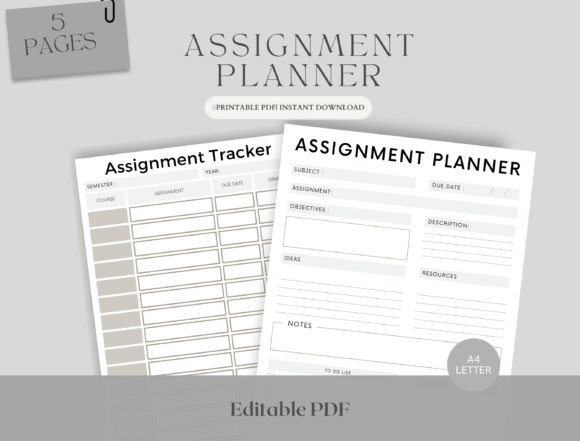
For tracking student performance and behavior, the Homework Tracker, Assignment Tracker, and Behavior Log provide structured yet flexible formats. You can use them to document patterns over time, which is invaluable during parent-teacher conferences or when writing anecdotal notes for student records.
The Attendance Log and Seating Chart are straightforward but essential. Pairing the seating chart with the Medications Tracker and Medical Information pages gives you a quick reference for students with health needs — a workflow detail that can make a real difference in an emergency.
After Key Events: Reflection, Communication, and Record-Keeping
Teaching is as much about reflection as it is about planning. The Parent-Teacher Conference Notes, Meeting Notes, and Communications Log pages allow you to document conversations in real time. This not only supports accountability but also helps you prepare for follow-up discussions. The Anecdotal Notes and Student Notes sections are ideal for capturing those small but significant observations that inform differentiated instruction.
At the end of a semester or the school year, the Semester Plan and Semester Overview pages serve as a retrospective tool. You can compare what you planned against what actually happened, and use that insight to refine your pacing for the next year. The Thank You page at the end is a thoughtful touch for acknowledging colleagues, volunteers, or support staff.
Integration With Other Tools and Platforms
Because the planner includes an editable Canva link, it integrates naturally with digital workflows. You can:
- Export pages as PDFs to upload to Google Drive, OneDrive, or a school LMS.
- Print only the pages you need, when you need them, reducing paper waste.
- Share specific pages with teaching assistants, co-teachers, or substitutes.
- Use the Website Login and Online Information pages to store credentials for platforms like Google Classroom, Seesaw, or your school’s grading system.
The print-ready files (PDF, JPG, PNG) also make it straightforward to produce physical copies. If you use a binding machine or a three-ring binder, the 8.5 x 11 inch format fits standard paper sizes. Many teachers combine this planner with a digital calendar like Google Calendar — using the planner for detailed lesson notes and the digital calendar for reminders and time blocking.
Practical Implementation Tips
- Start with the core pages first. Fill in the Belongs To, 2024 Calendar, Student Info, and Class List before adding specialized logs. This gives you a working planner you can use immediately.
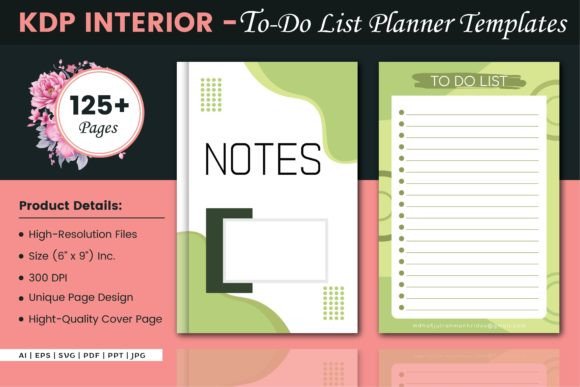
- Use the Notes and Teacher Notes pages as a catch-all. Keep one at the front of your planner for quick jots and one at the back for deeper reflections.
- Print the Seating Chart multiple times. You can rearrange seats several times during the year, and having blank copies ready saves time.
- Pair the Behavior Log with the Communications Log. When you document a behavior incident, note whether you contacted the family and what the outcome was. This creates a complete record.
- Use the Reading List for professional development as well as student reading. Track books you want to read alongside student recommendations.
Usability and Long-Term Value
A planner is only useful if it fits your actual daily rhythm. The Editable 2024-2025 Teacher Planner KDP avoids the common pitfall of being too prescriptive. Because you can edit every element before printing — or skip pages altogether — the final product feels like your own creation, not a generic template. This sense of ownership increases the likelihood that you will use it consistently.
From a durability standpoint, printing the pages on quality paper and storing them in a sturdy binder or disc-bound system will keep the planner intact through daily use. The high-resolution files (JPG and PNG) also allow you to reprint individual pages that get heavy wear, such as the Monthly Planner or Attendance Log.
For teachers who work across multiple classrooms or schools, the ability to carry a single binder with all your records is a significant efficiency gain. The Theme Tracker, Special Schedule, and Volunteer Log pages ensure that nothing falls through the cracks when you are not in your home classroom.
Observations on Workflow Efficiency
One of the overlooked strengths of this planner is how it reduces cognitive load. Instead of maintaining separate systems for attendance, behavior, lesson plans, and parent communication, everything lives in one place. The Equations Formulas page might seem like a small addition, but for math and science teachers, having quick access to common formulas saves time during lesson prep.
The Smart Goals page is another feature that supports both teacher and student growth. You can use it at the start of a semester to define professional goals, and revisit it during self-evaluations or administrative observations.
The My Notes and Student Notes distinction is subtle but useful. Keeping your own reflections separate from student-specific observations prevents confusion when you are reviewing notes weeks or months later.
Who Benefits Most From This Planner
- Classroom teachers in K-12 settings who need a complete organizational system.
- Special education teachers who track multiple IEP goals, accommodations, and communication logs.
- Homeschool educators who want a structured yet flexible way to plan across subjects and grade levels.
- New teachers who are still developing their organizational habits and need guidance on what to track.
- Teacher-authors and content creators who use KDP and Canva to produce planners for their own classrooms or for sale.
The editable nature of the planner also makes it suitable for school-wide adoption. An instructional coach or administrator could customize the template to include school-specific procedures, then share it with the entire faculty.
Final Thoughts on Integration and Consistency
The Editable 2024-2025 Teacher Planner KDP is not just a product — it is a framework for consistent, organized teaching. When you take the time to set it up before the school year, use it daily, and review it periodically, it becomes a core part of your professional practice. The Canva integration ensures that you are not locked into any design choices, and the print-ready files give you the flexibility to go digital or physical depending on your needs.
For teachers who value efficiency without sacrificing personalization, this planner offers a practical middle ground. It provides the structure needed to stay on top of a demanding schedule while leaving room for the creativity and adaptability that great teaching requires.